
- Dołączył
- 18 Październik 2012
- Posty
- 1950
- Reakcje/Polubienia
- 448
ClipCache Pro to znacznie więcej niż tylko expander schowka
Zaloguj
lub
Zarejestruj się
aby zobaczyć!
ClipCache Pro jest potężnym narzędziem zbierania informacji. Monitoruje schowek i zapisuje wszystko, co można skopiować. Po tym można organizować, edytować i zarządzać tekstem i obrazami na różne sposoby.
Program jest dostępny w języku polskim.Uniquely powerful for any kind of research use
Apart from the features below, Clipboard Cache Pro is also the only professional-grade clipboard extender with three features our users have told us are essential for any tool such as this: global search; a flexible tree outline; and the ability to record the source of your clips.
Source-recording is essential to any type of research task but is offered in very few 'clipboard extenders'. In fact, this combination of features means reports, stories and research papers can almost 'write themselves': ClipCache Pro allows you to collect the information, analyse it, then structure it into a meaningful whole - ready to write. All while retaining every source.
Although it is powerful enough for major commercial uses, ClipCache Pro is also affordable for individual home users, bloggers and students.
All the features you would expect, plus a lot more
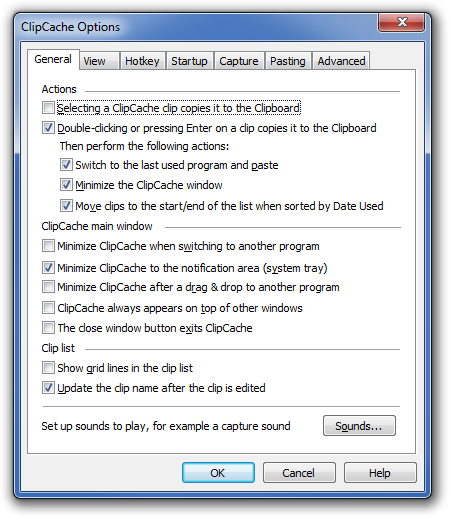
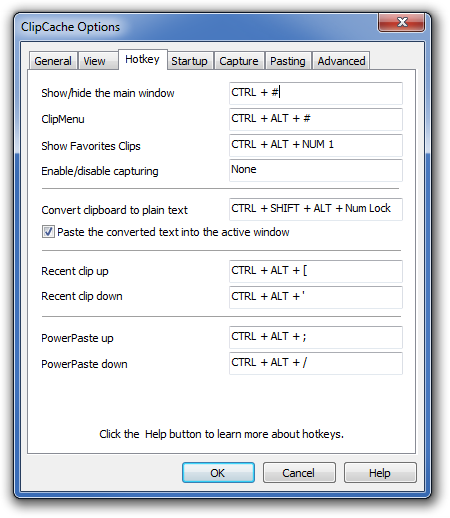
- Easy toggle: turn capturing on or off with a keystroke. You can assign your own hotkey easily
- Captures both text and images - from web pages or documents
- Choose your own sound notifications - or none
- Reliably records the source of your clip by capturing the name of source window - critical for research uses
- Capture only what you need, with customizable capture options such as ignoring specified programs
Powerful organising and editing
- Global search with many parameters
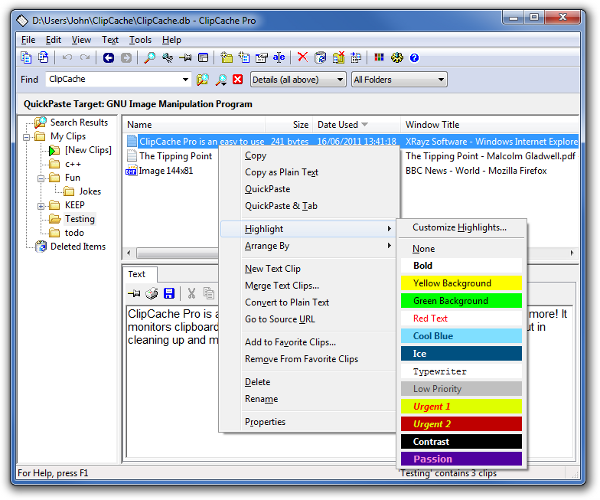
- The 3 pane layout shows you everything at a glance: clips previews, clips characteristics (such as date clipped, source window and many more) and your folders
- Text is displayed as raw text, html and other formats, using tabs. Text is editable and links can be followed.
- Images can be viewed with a variety of zooms
- Drag and drop clips anywhere
- Colors and highlights on folders and clips
- History navigation
- Sort clips by capture date, or any attribute and also manually
- Merge different clips together into one text - using any separators you wish, or none
- Unique text-clean feature reformats text to look neat and tidy - including removal of ugly email indents (">>>>")
- Create your own customised text-cleaners
- Automatic and manual folder pruning can keep folder sizes in check, dropping out clips based on chosen parameters such as date
Flexible pasting
- Get rapid access to all clips and recent clips: with one click you can pop out a list on the taskbar
- You can even access your clips right at your cursor (exactly where you are typing), using a hotkey
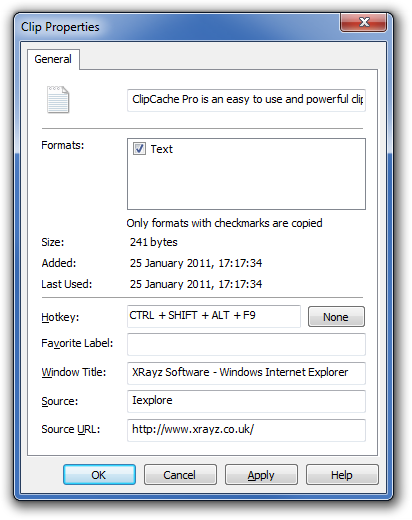
- Any clip can be assigned a hotkey for easy pasting
- PowerPaste allows you to paste any set of clips, one at a time. Each time you use the hotkey, the next one is pasted. Ideal for form filling and more
- Paste raw/pure text (text that has formatting removed) with a hotkey
- Clipboard Routing allows everything copied to Clipboard to be automatically pasted into a chosen target application. Ideal for re-directing or collating snippets of information
Adaptable, open and portable
- Take your clips with you on a USB flash drive - portable version can be used with the same license key
- 32-bit and 64-bit (x64) builds
- International languages are supported, via unicode
- Liberal use of context menus
- Massively customisable. But you can also start increasing your productivity in seconds, because it has a highly intuitive interface and commonsense default settings
- Mouse and keyboard oriented navigation both catered for
- Multiple-level undo and redo

Pan John Williams z XRayz Software uprzejmie dostarczył do losowania w konkursie na naszym forum 2 licencji program ClipCache Pro !! !! !!
Zasady konkursu:
1. Napisz w kilku zdaniach dlaczego chcesz wygrać ClipCache Pro.
2. Komentarz w języku Polskim lub Angielskim.
3. Zakończenie konkursu odbędzie się dnia 26.11.2015.
4. W konkursie mogą brać udział wszyscy użytkownicy zarejestrowani przed ogłoszeniem konkursu.
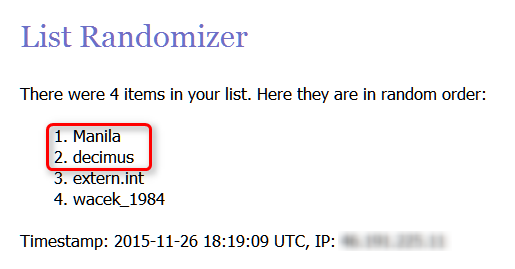
Osoby które otrzymają licencje, zostaną wylosowane poprzez portal Random i będą miały 24 godziny na potwierdzenie wygranej na PW do mnie.
W przypadku braku odzewu ze strony wygrywającego w ciągu 48 godzin od ogłoszenia wyniku nagrodę otrzyma następna osoba z listy Random.
Zgłoszenia niezgodne z zasadami konkursu nie będą brane pod uwagę podczas losowania zwycięzców.
Życzę wszystkim powodzenia


 Konkurs kończy się jutro